
Safe at every step.
What it is
Safety is built into every part of PikaBox, from who can cook for you to how you pay and how your food reaches you.
Why it’s good
- Allergy-safe by default: your allergies filter what you see and what Pika suggests
- Pay with M-Pesa and follow your rider live to your door
- Help in the app whenever you need it, with an SOS fast lane
Home cooks
Every kitchen, checked.
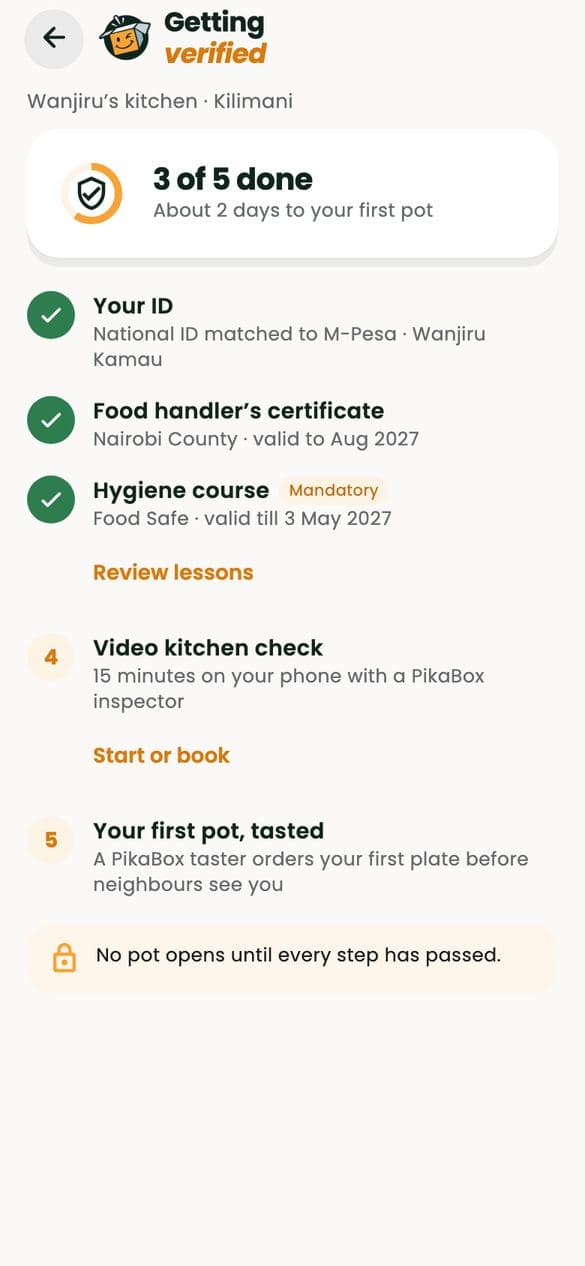
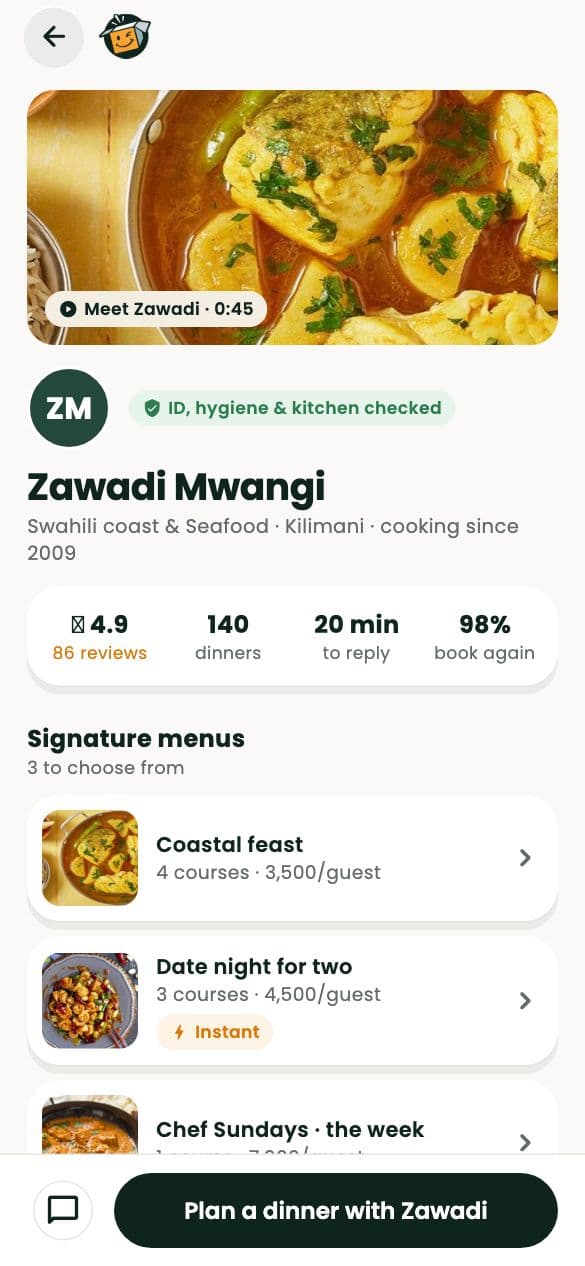
No home cook sells a single plate until every check has passed. This is what she goes through, in the app she uses to do it.
Check one
ID, matched to a live selfie
Every home cook’s government ID is checked against a live selfie before her kitchen can open.
Check two
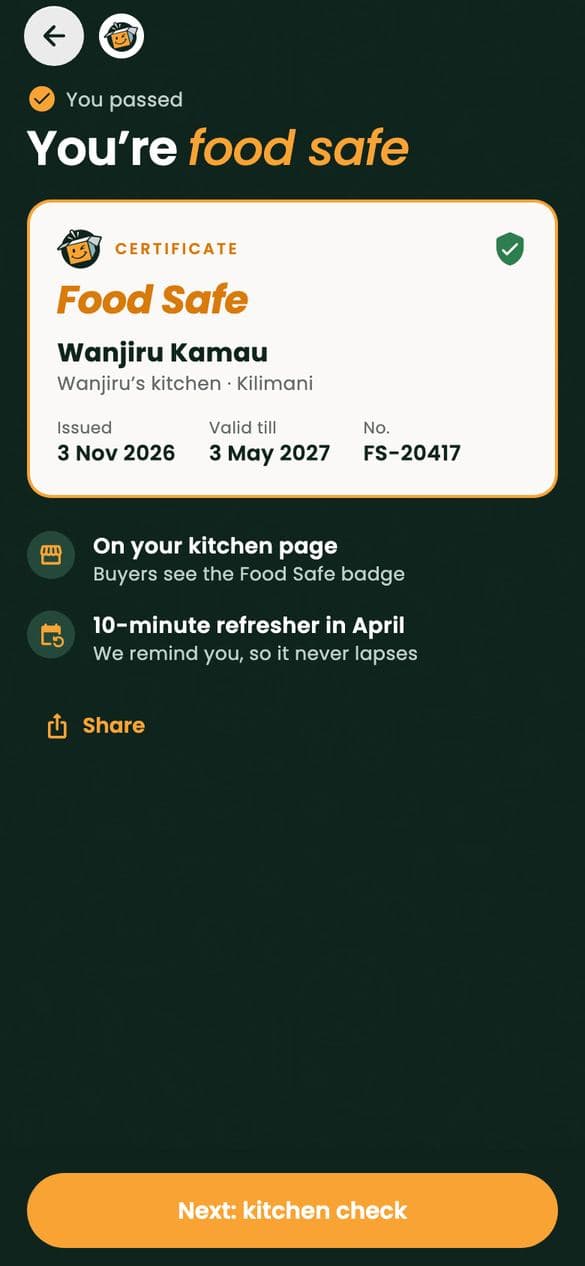
A food handler’s certificate and a hygiene course
A county food handler’s certificate, kept current, and our food-safety course on storage, allergens and a safe handover.
Check three
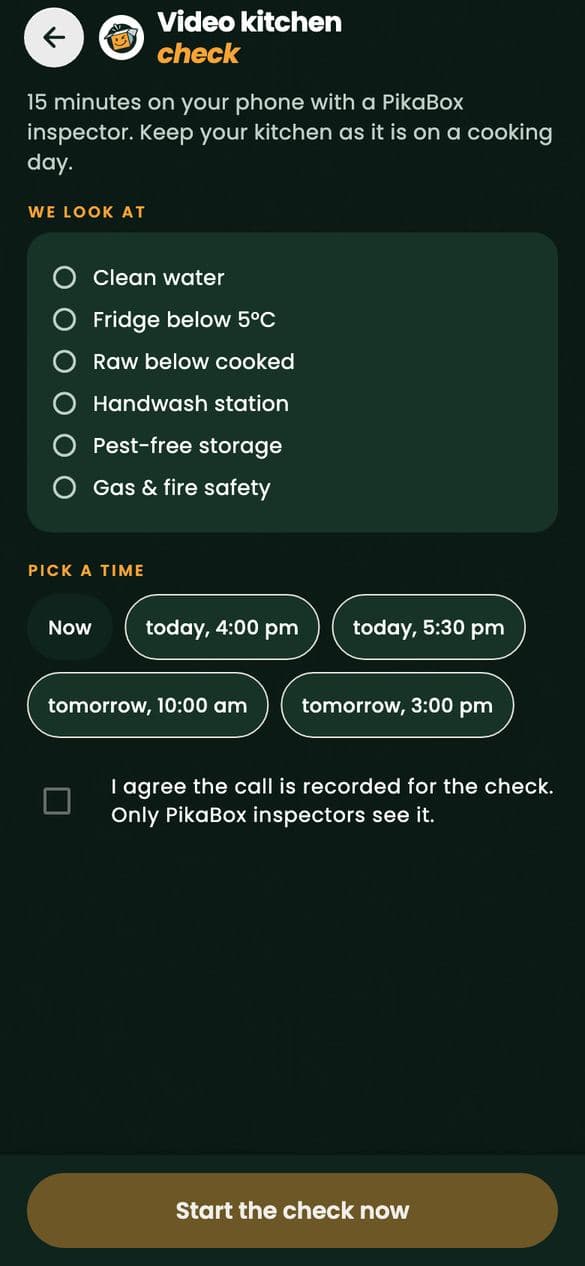
A video check of the kitchen
A PikaBox inspector walks through the kitchen on video with the cook: clean water, the fridge, surfaces, storage and pests.
Every pot
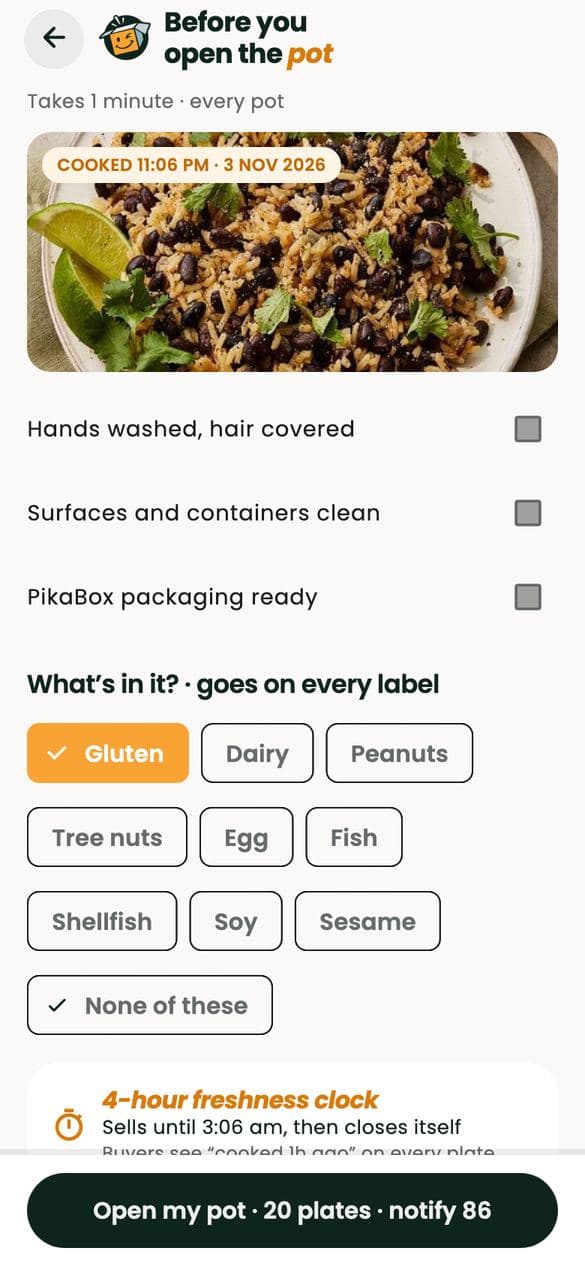
Allergens on every label, every time
Before each pot opens, the cook confirms her hygiene checklist and declares what’s in it. That goes on every label you see.
Then
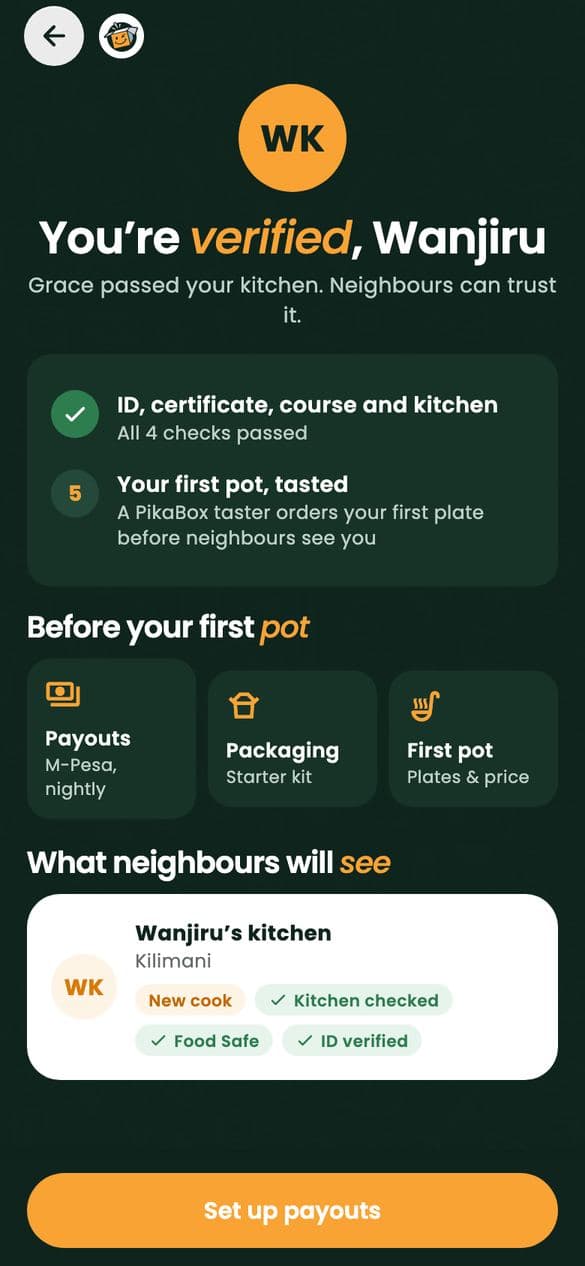
The first plate is tasted, and we keep looking
A PikaBox taster eats the first pot before neighbours can order. After that, ratings and reports keep every kitchen honest.
Chefs & riders
People you let close.
A chef in your kitchen. A rider at your gate. Both are checked before they ever meet you, and both work through the app, so nothing happens off the record.
PikaChef chefs
- Background checkedID and references, before a chef can be booked.
- Tasted in personEvery chef cooks for our team before going live.
- Assistants checked tooNobody unnamed comes to your home.
- Paid on your codeThe chef is paid only when you say the night is done.
Riders & handovers
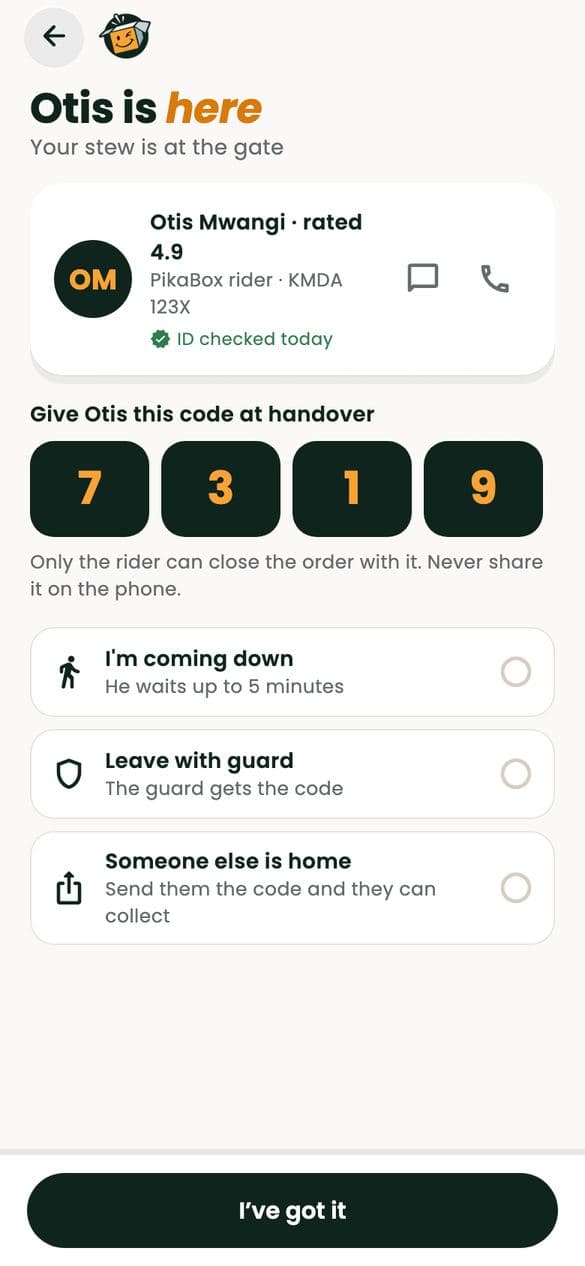
- Licensed and vettedA good conduct certificate and a valid licence.
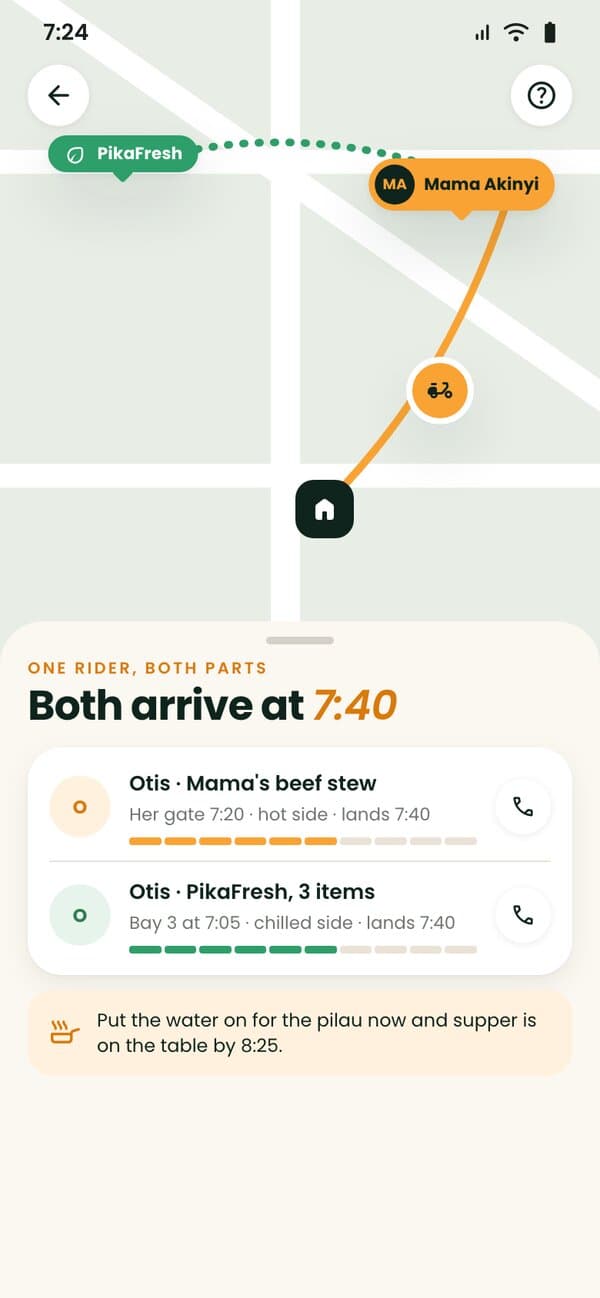
- Handover codesAt the cook’s gate and again at your door.
- You know who’s comingThe rider’s name and photo before they arrive.
- Followed liveEvery delivery on the map, from pickup to your door.
Allergies
Allergy-safe by default.
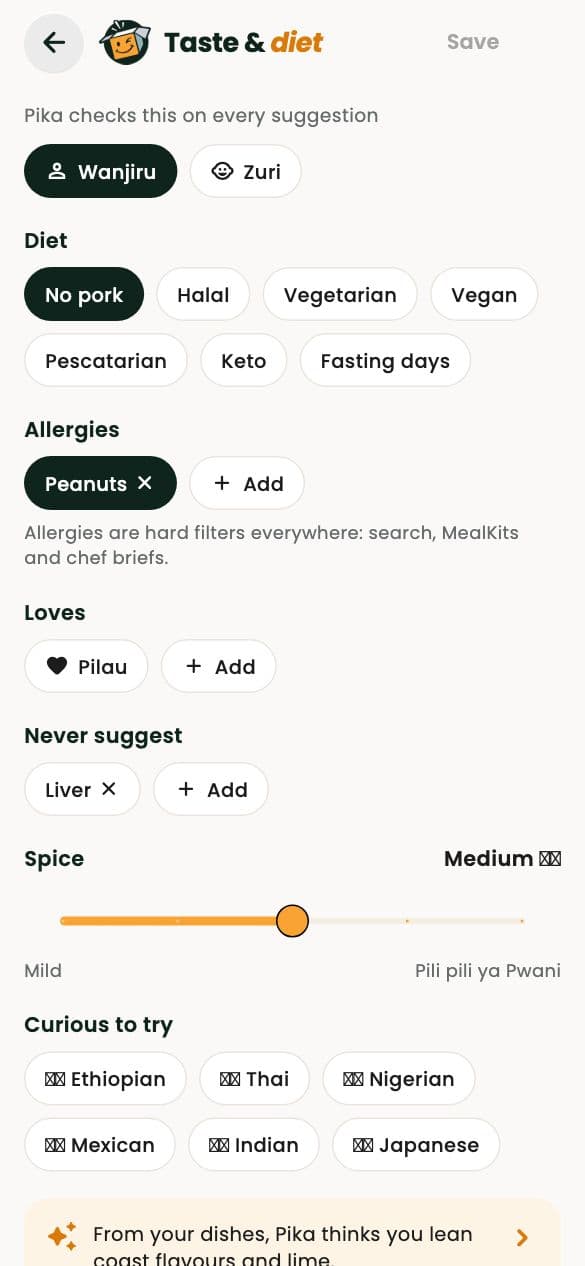
You shouldn’t have to read every label twice. Tell PikaBox about the allergies in your home and every part of the app respects them.
- Tell us onceSet a household allergy as a hard filter. It shapes what you see, what Pika suggests and what you can add to your basket.
- Declared on every dishHome cooks, chefs and kitchens declare the allergens in every dish, so you know what’s on your plate before you order.
- Never swapped inYour PikaFresh picker messages you before swapping anything, and never swaps in a new allergen.
Payments
Your money, held safely.
M-Pesa and cards are processed by licensed partners, and PikaBox never stores your card. Here is every shilling’s journey.
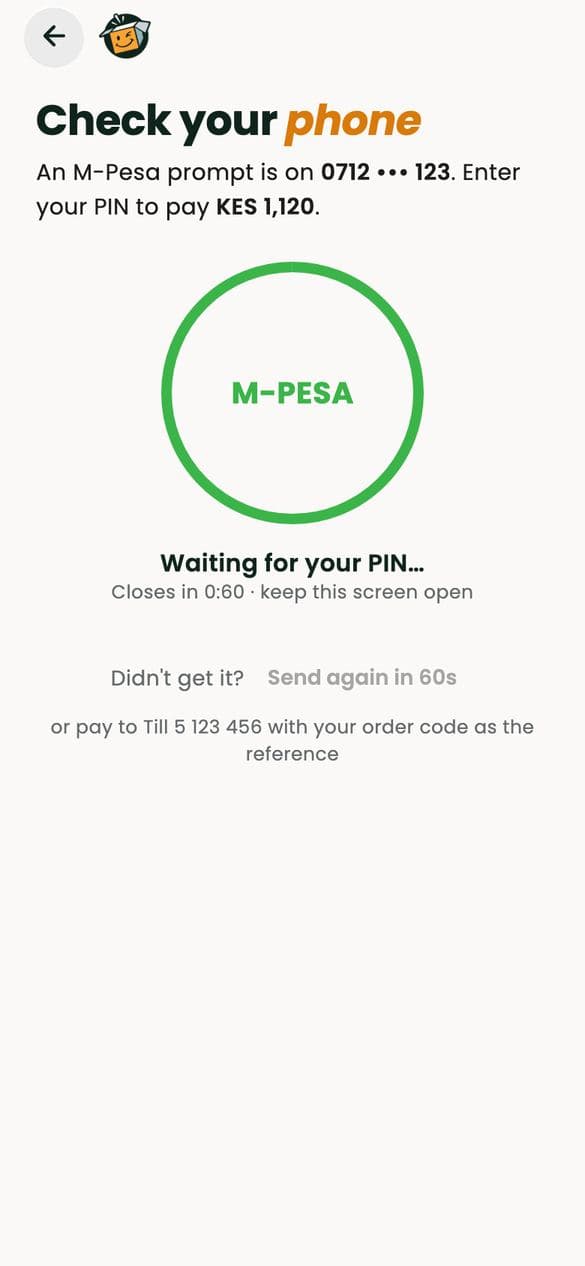
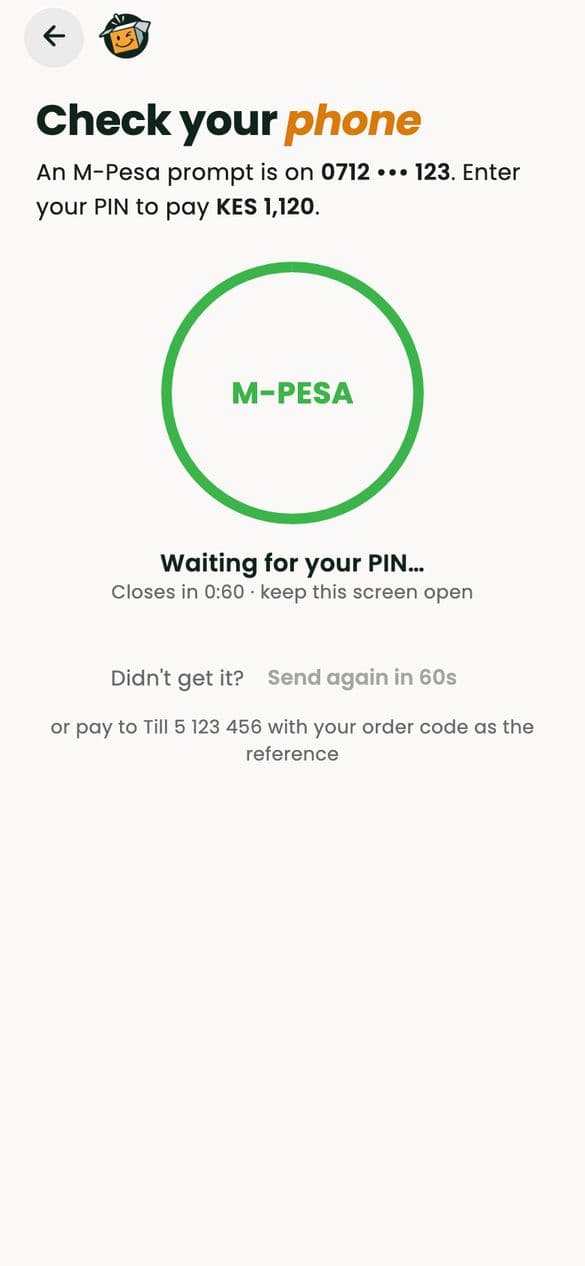
A prompt on your phone
Pay with M-Pesa: the prompt lands on your phone and you enter your PIN on your own phone.
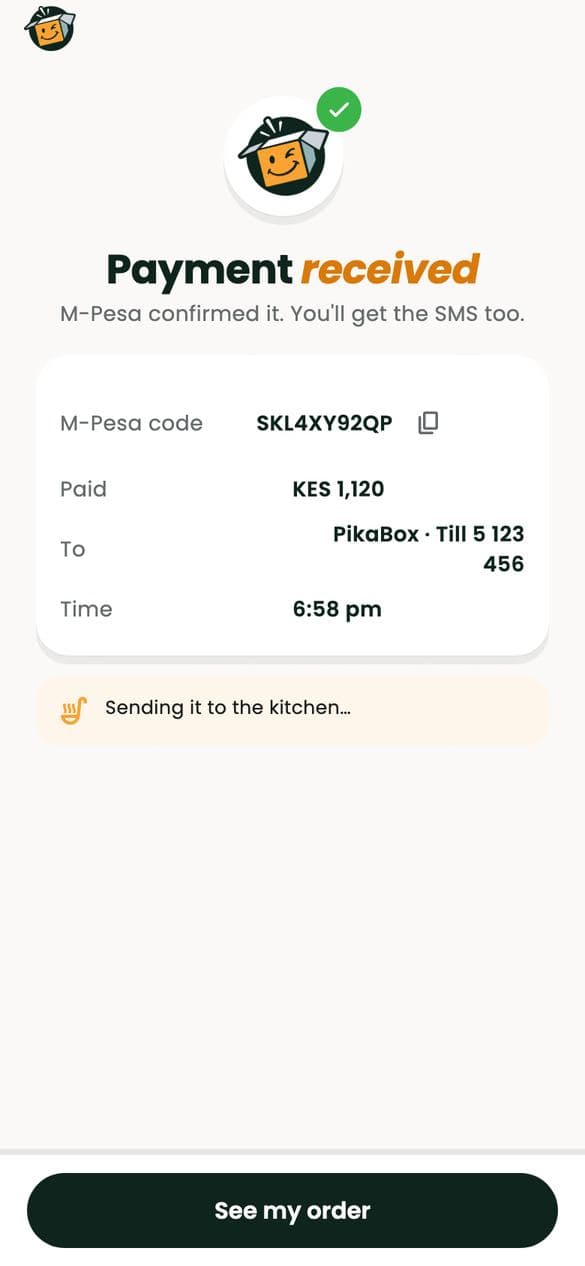
Confirmed, with a receipt
The moment M-Pesa confirms, so does PikaBox, with the M-Pesa code and a receipt you can keep.
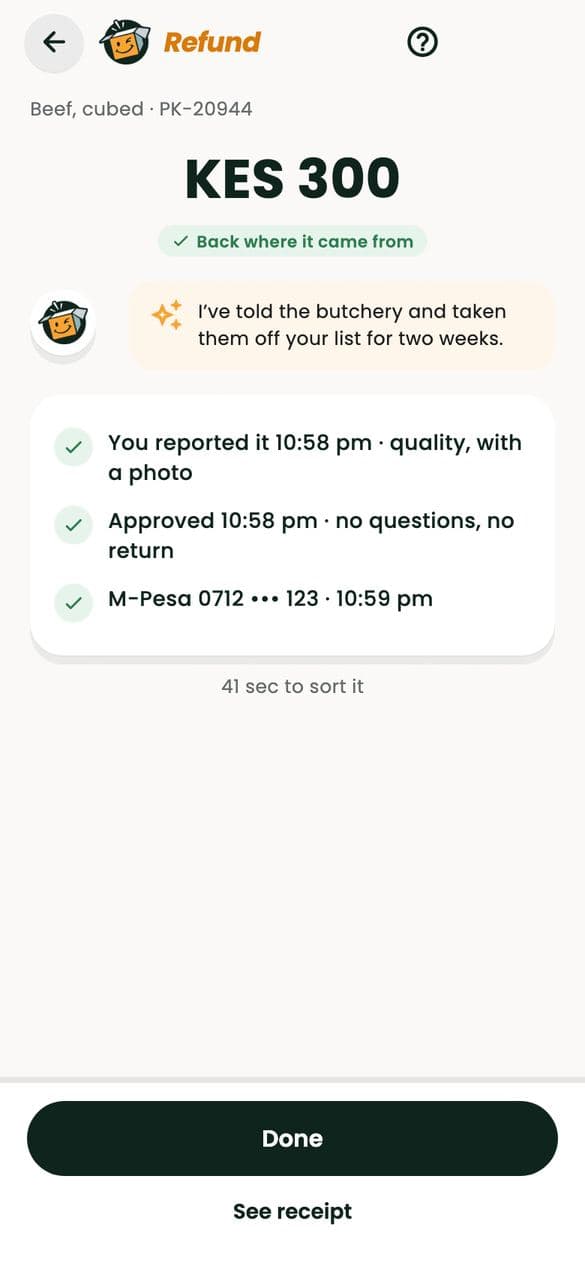
Refunds go back the way you paid
If something goes wrong, your refund goes back to the M-Pesa number you paid from, or to your wallet.
Chef bookings are heldPikaBox holds what you pay for a private chef and releases it only when you give your completion code.
Never pay outside the appIf anyone asks you to, report them. You’re only protected when you pay in PikaBox.
Reporting
Tell us. We act.
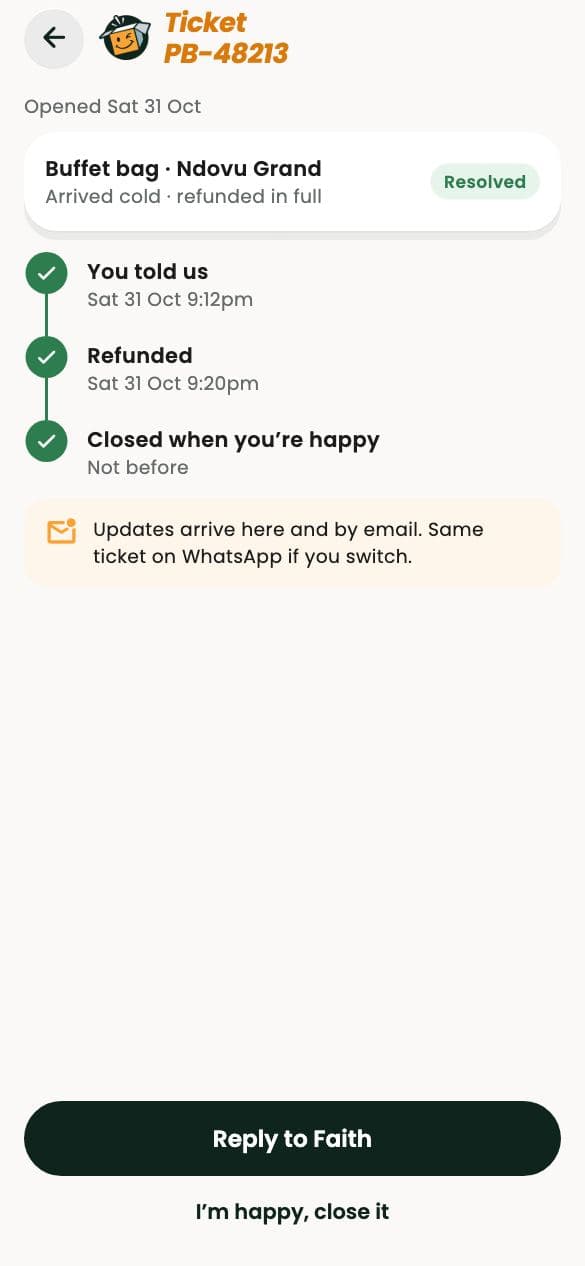
Tap the flag on any order, kitchen, chef, rider, profile or post. A real person on our safety team reads every report, urgent ones first, and you can stay anonymous to the other person.
In danger right now?Call 999 or 112 first. Then press SOS in the app: it goes to the top of our team’s queue.
- Someone is unsafeUrgent, first in lineWe call you, alert your trusted contact and pause the account.
- Food made me illHigh priorityWe pause the pot, look into the batch and refund you.
- An allergen mistakeHigh priorityWe pause the kitchen, retrain the cook and refund you.
- Harassment or abusePriorityWe remove the content, and warn or remove the account.
- An order went wrongStandardA refund or a redo: your choice.

Your data
Private by default.
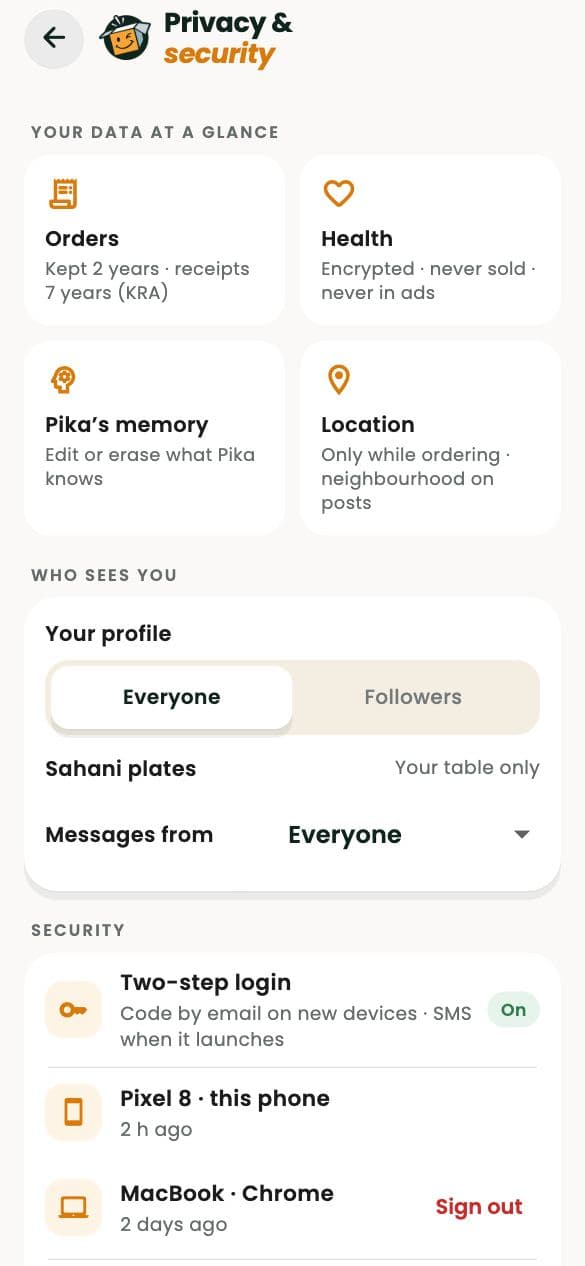
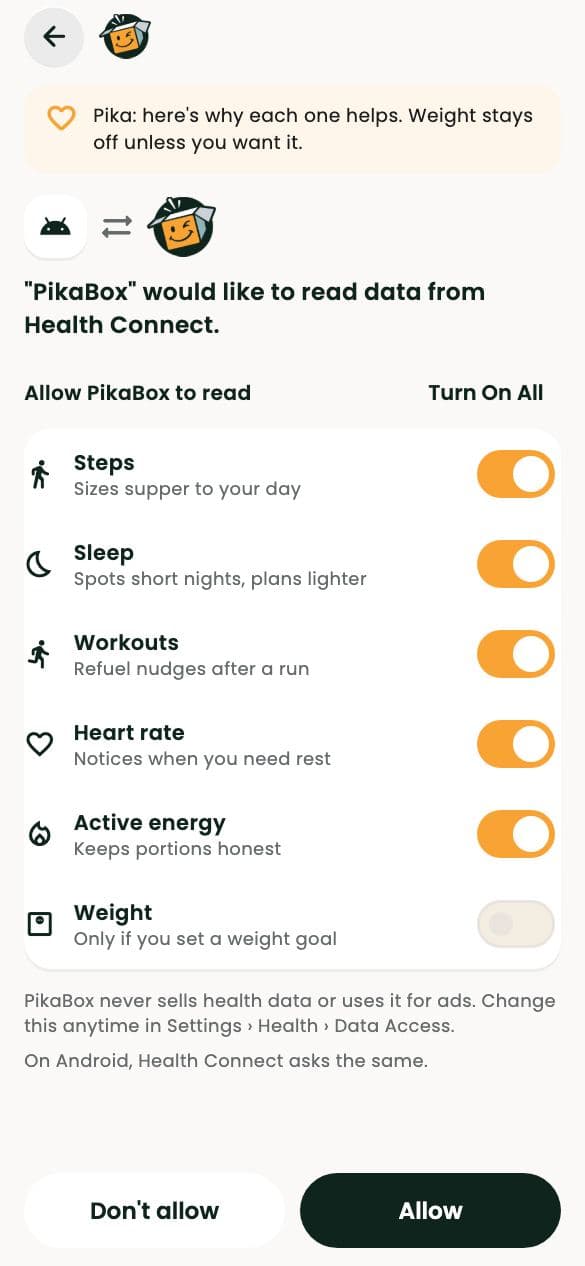
Pika never pays or books without your tap. Your health readings stay on your account. And the details that would let a stranger find you never leave the app.
- Addresses stay hiddenCooks see your area, never your home. Buyers never see a cook’s address.
- Numbers are maskedCalls and messages with riders and chefs go through the app.
- Health data only with consentNothing is read or stored without your explicit yes, and your readings are encrypted.
- Never soldWe never sell your data. Download or delete it any time, under Kenya’s Data Protection Act.

Eat well. Worry less.
Set your allergies once, pay with M-Pesa and follow every order to your door. Help is a tap away in the app.
Nairobi’s food, all in one place.